
Monitoring GoDaddy DNS
Monitoring your GoDaddy DNS records automatically is made easy with ZoneWatcher. After you've added your account credentials, we will automatically import all of your domains and begin monitoring them for changes.
API Access Requirements
GoDaddy restricts access to their production APIs based on account size. These limitations are enforced by GoDaddy and are outside our control. To use the GoDaddy integration with ZoneWatcher, your GoDaddy account must meet one of the following criteria:
- 10 or more domains registered in your GoDaddy account, OR
- An active Discount Domain Club – Domain Pro Plan subscription
For more information, see GoDaddy's official documentation on production access.
Generating your GoDaddy API Credentials
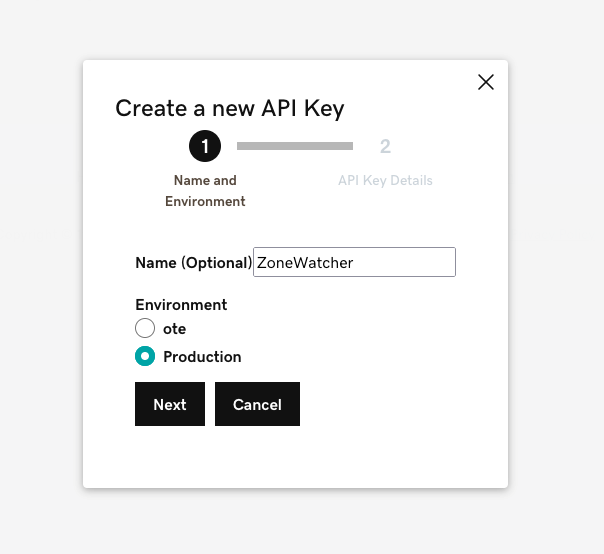
To get started adding your GoDaddy account, you'll first want to generate api credentials on GoDaddy's developer dashboard. We use these credentials to automatically fetch the domains and associated DNS records.
Be sure to select "Production" as the environment when generating your credentials.
Creating your GoDaddy Provider
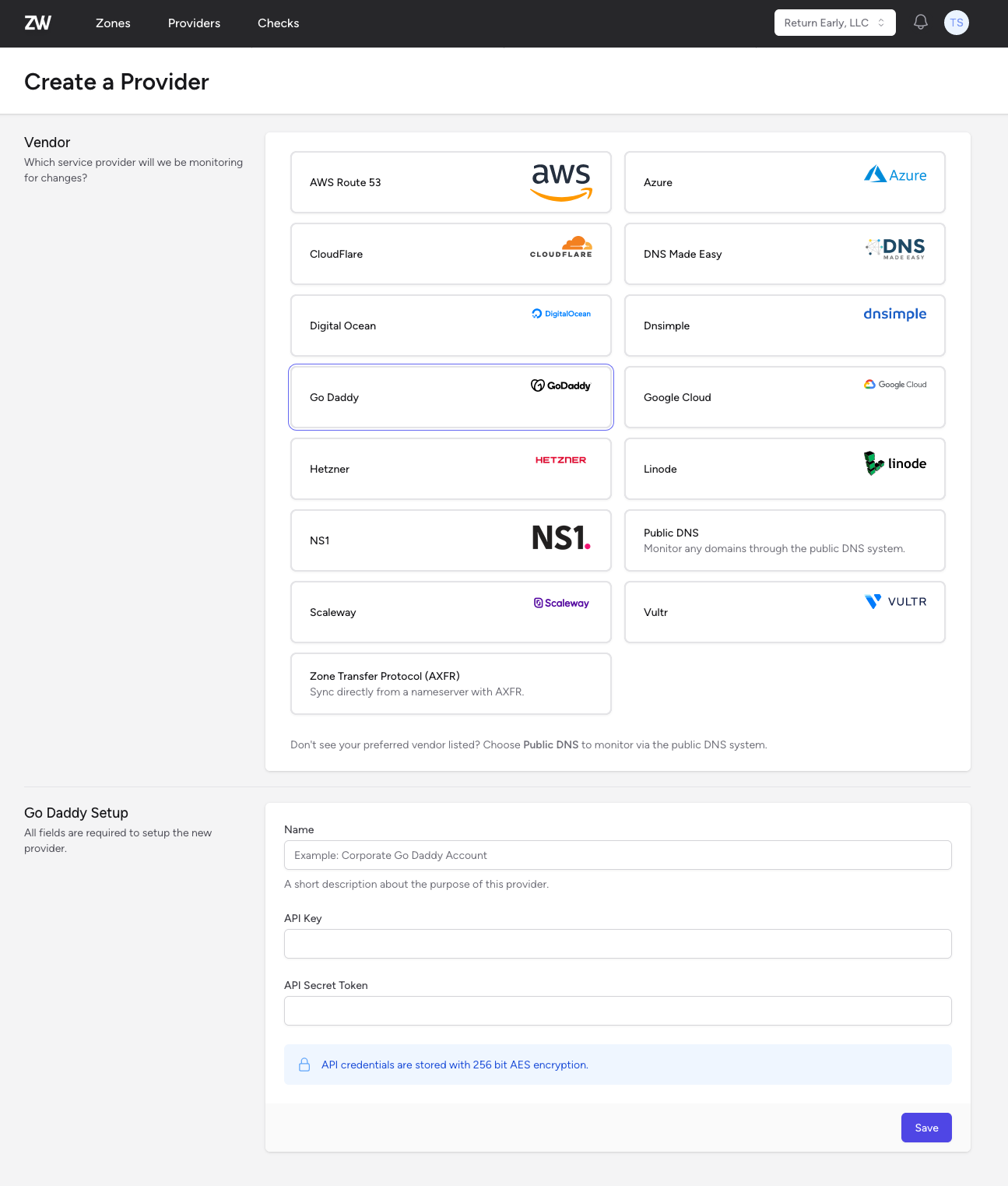
Once you've generated your credentials on your GoDaddy Developer dashboard, you can create your new GoDaddy provider on ZoneWatcher by giving it a descriptive name and pasting the API Key and Secret Token.
Monitoring Your Zones
After you've created your GoDaddy provider, we will sync all the zones associated with your account and their associated DNS records. You'll be able to view them from either the Provider's page or the Zone Dashboard.